Using the Playground
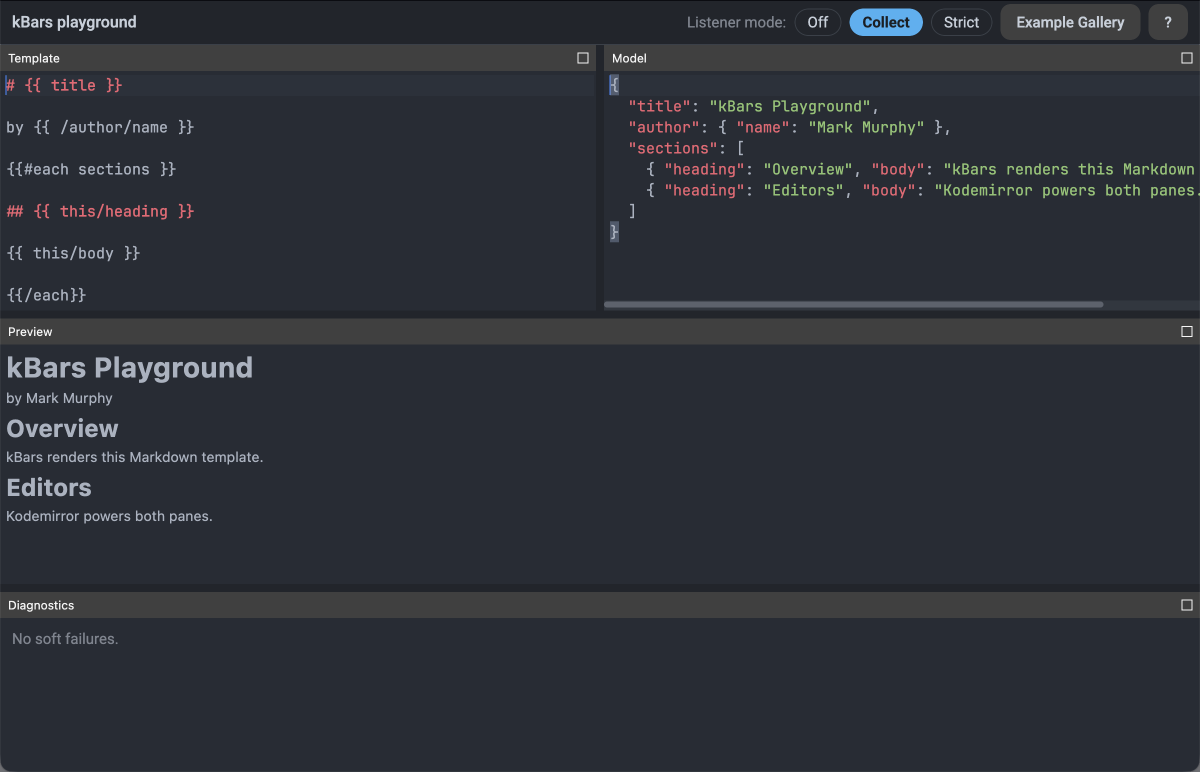
The playground is a browser, desktop, and Android app that compiles and renders a kBars template against a JSON context live, as you type — with the conformance suite's own examples loadable as a starting point. This page walks through what's on screen and what each control does.
Running it
- Browser — https://kbars.commonsware.com/playground/, no install; loads a ~5 MB WebAssembly bundle.
- Desktop —
./gradlew :playgroundApp:run(seeplaygroundApp/README.mdin the repository). - Android —
./gradlew :playgroundApp-android:installDebug(same).
The layout
The playground rearranges itself around the window it's given:
- Expanded (≥ 840 dp wide) — Template and Model side by side, with Preview spanning beneath both.
- Stacked (600–840 dp wide) — Template above Model, Preview beneath.
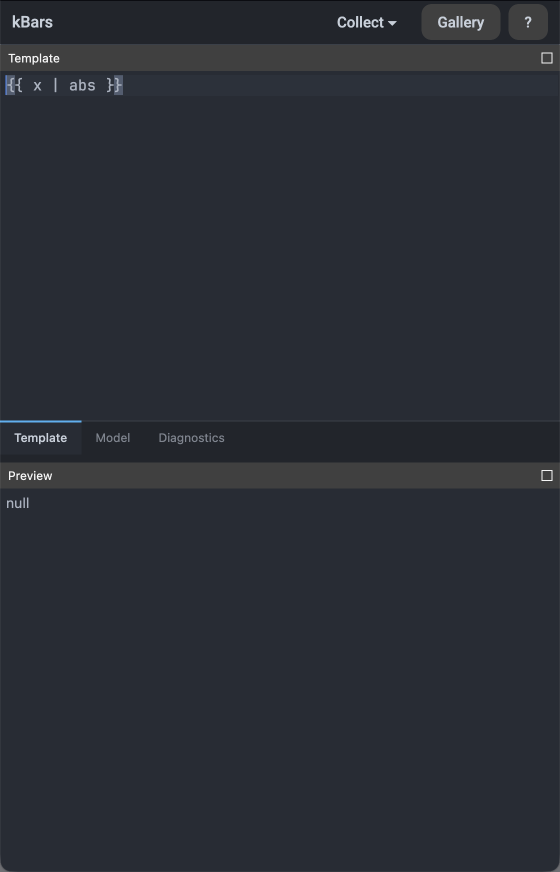
- Compact (< 600 dp wide, or a short window at any width) — Template, Model, and Diagnostics share a set of tabs, with Preview pinned beneath.
Every pane is dockable and resizable, regardless of tier.
The toolbar
The title reads kBars playground · <case title> (<qualifier>) when a gallery example is loaded,
dropping the qualifier at medium widths and the case name entirely once the window narrows further —
or as soon as either editor's text diverges from the loaded example. After the title come the listener
mode control, the Example Gallery button, and the ? button that brought you here.
Listener mode: Off, Collect, Strict
- Off — no listener is registered; the render runs with no diagnostics collection at all.
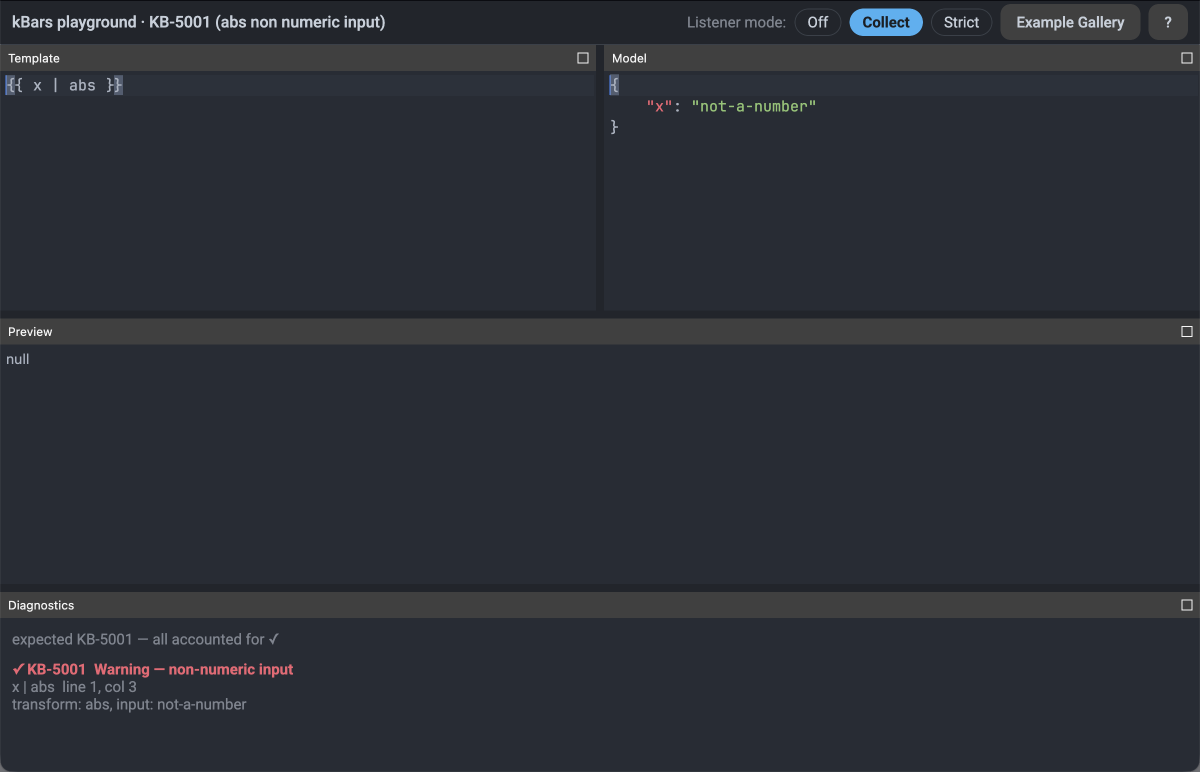
- Collect — a fresh listener is created for every evaluation and records each soft-fail event as it happens. This is the only mode in which the Diagnostics pane appears.
- Strict — the render aborts at the first soft failure instead of continuing past it.
At wide windows a muted "Listener mode:" label precedes the three chips; once the toolbar narrows, the
chips collapse into a single ▾ dropdown so the Example Gallery button stays reachable.
Preview and Diagnostics
The Preview pane renders the template's output as Markdown. Parse and render problems appear as rows beneath it; in Collect mode, soft-fail diagnostics appear in their own pane. Clicking either a problem row or a diagnostic row jumps the Template editor to that row's source location.
The Example Gallery
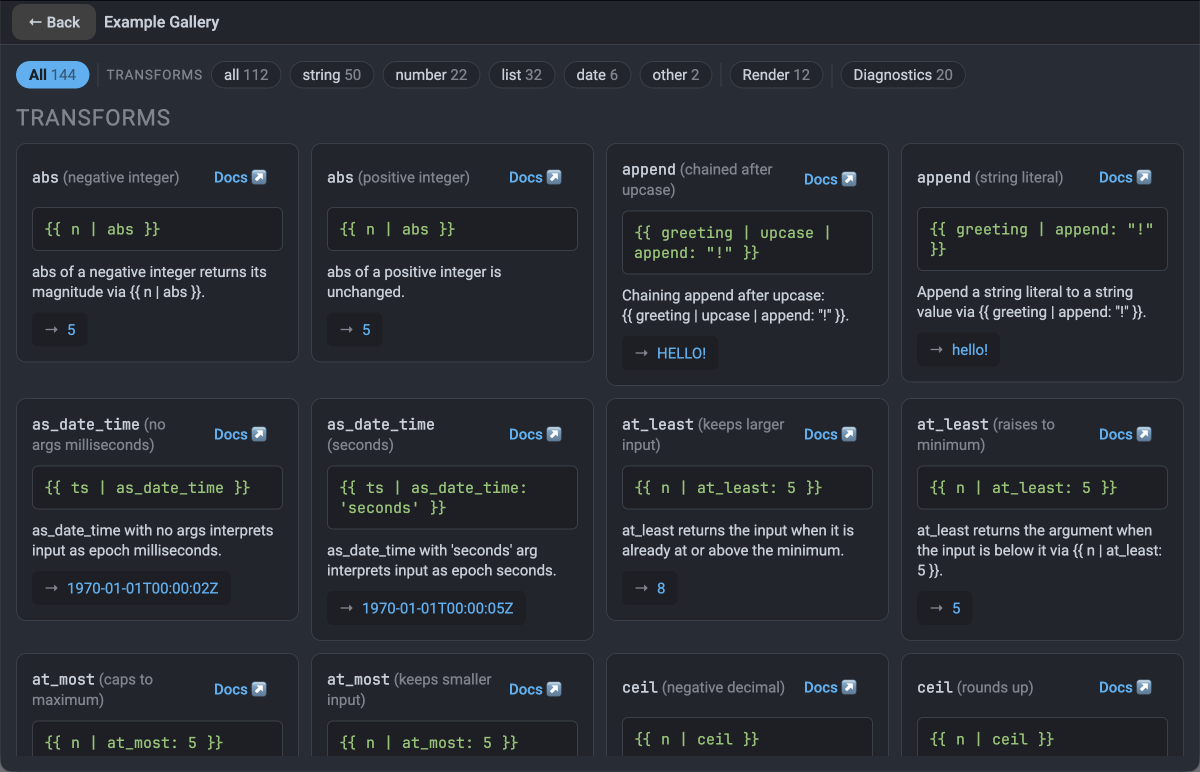
Click Example Gallery to browse the conformance suite's own examples, grouped into three
sections — render, transforms, and diagnostics — and filterable by a chip row: All, then
Transforms (all, string, number, list, date, other), then Render, then Diagnostics. Each chip shows
how many cards currently match it. A card can also carry a Docs ↗ link out to the relevant
documentation page. Picking a card loads its template and context into the editors and returns you to
them.
Sharing a link
Every state the playground can be in is expressible as a URL:
?case=<id>names a gallery example. The address bar is rewritten to this form automatically whenever you pick a card, so the current URL is always shareable.?t=<base64url-template>&c=<base64url-context>carries a template and a context inline;cmay be omitted, and defaults to{}.- A link that doesn't resolve — an unknown id, or a query that doesn't parse — shows a dismissible notice, "That link didn't resolve — showing the default example instead.", and falls back to the default example.
In the browser, the Back and Forward buttons move in and out of the Example Gallery exactly as its own ← Back button does.
The narrow layout
Below 600 dp wide, the editors, Model, and Diagnostics panes collapse into tabs, and the listener mode chips collapse into the dropdown described above.
What it does not do
Nothing is persisted. Reloading the page loses any edits that aren't captured in the URL. The playground is a scratch app for trying out templates, not a published library artifact.
Where to next
- Writing Templates — the template language itself, if a gallery example raises a question about syntax.
- Getting started with the Kotlin API — embedding kBars in your own Kotlin app, once you've worked out a template in the playground.